
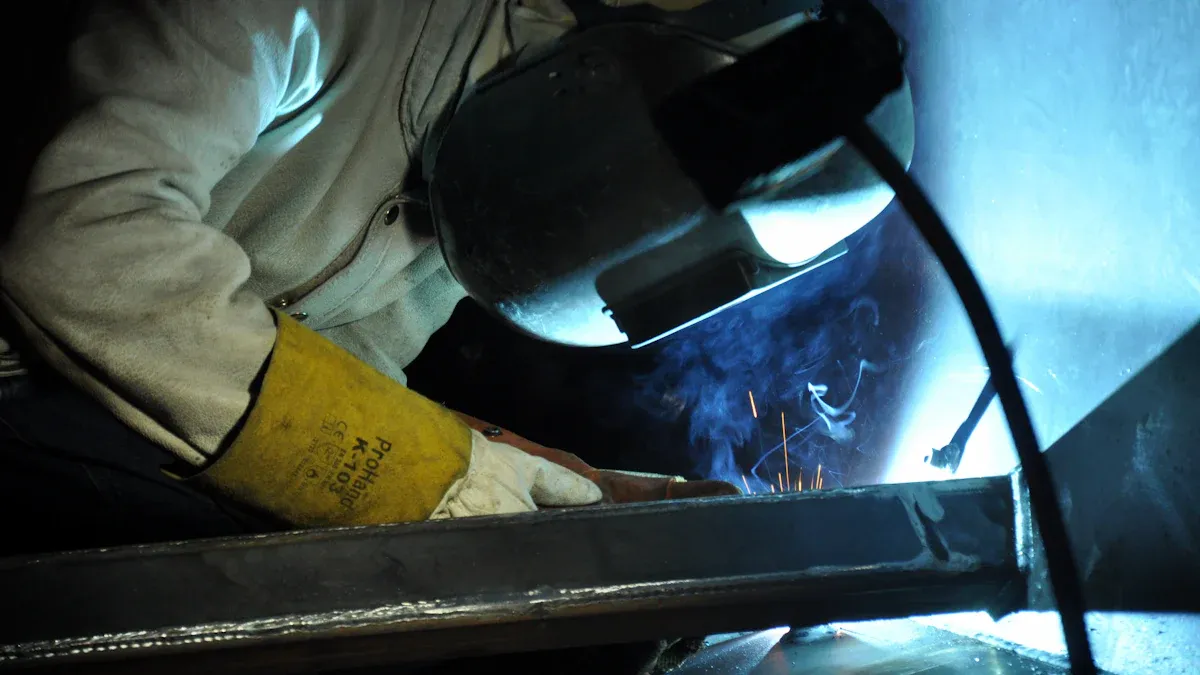
When my Auto Darkening Welding Helmet fails to respond, I know immediate action matters. Quick troubleshooting often prevents eye injuries and reduces exposure to harmful radiation. These helmets react in less than a split second, protecting my eyes and keeping my work accurate. I always check for common issues like battery problems or dirty sensors first. Fast solutions not only keep me safe but also help maintain productivity and reduce costly mistakes on the job.
Key Takeaways
- Always check batteries first when your helmet does not darken; replace or recharge them to keep protection reliable.
- Keep sensors clean and free from dirt or spatter to ensure the helmet darkens quickly and correctly.
- Adjust sensitivity and mode settings based on your welding environment to avoid false triggers or no darkening.
- If the helmet stays dark or flickers, clean sensors, check settings, and test batteries before seeking professional help.
- Maintain clear vision by regularly cleaning lenses, preventing fogging, and shielding sensors from bright light.
- Adjust headgear straps and padding for a comfortable, secure fit to reduce neck strain and prevent helmet slipping.
- Perform routine inspections and function tests before each use to catch problems early and keep your helmet safe.
- Replace your helmet if you find cracks, persistent electronic issues, or outdated features to ensure maximum safety.
Auto Darkening Welding Helmet Not Darkening
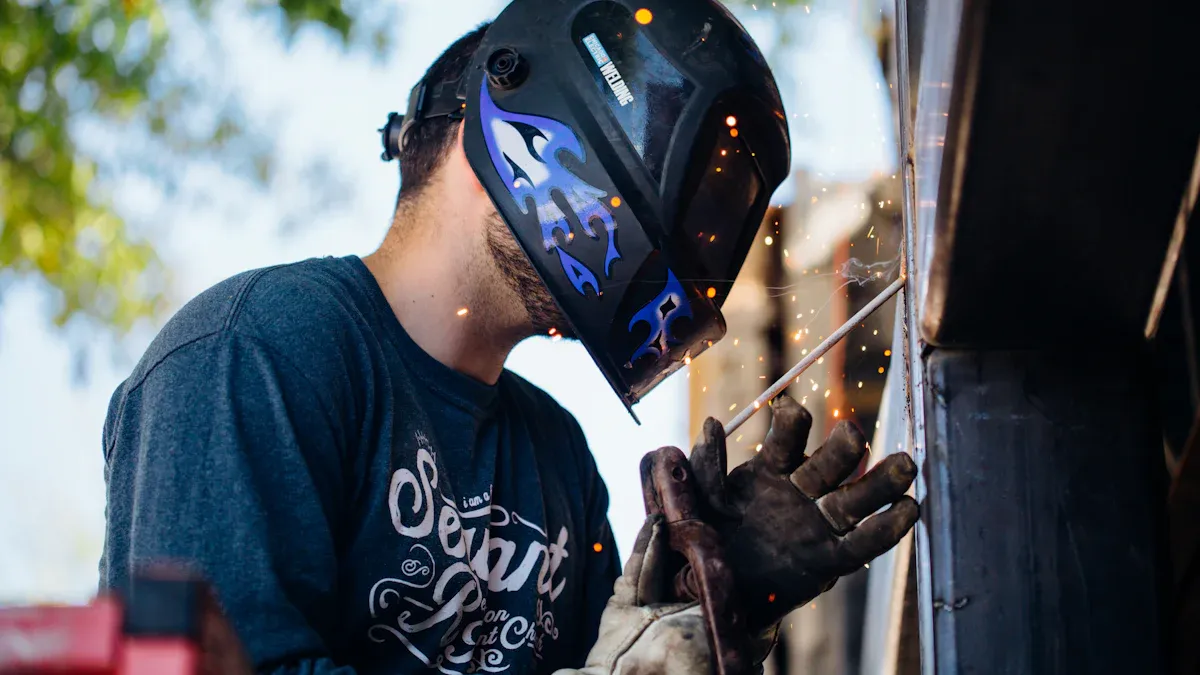
When my Auto Darkening Welding Helmet fails to darken, I know I must act quickly. This problem exposes my eyes to harmful light and can disrupt my workflow. I always start by checking the most common causes.
Power and Battery Issues
Check battery installation and charge
I always inspect the battery compartment first. Dead or low batteries often cause the helmet to stop darkening. I make sure the batteries sit correctly in their slots. I replace or recharge them if needed. Many helmets use AAA or CR2032 batteries, so I keep spares in my toolbox.
Tip: I test the helmet after changing batteries by exposing it to a welding arc or sunlight. If the lens does not darken, I know the issue may be elsewhere.
Inspect for non-replaceable battery failure
Some helmets use built-in batteries that cannot be replaced. If my helmet has this design, I look for signs of battery failure, such as inconsistent lens response or total loss of function. In these cases, I contact the manufacturer for repair or replacement. I avoid trying to open the helmet myself, since this can void the warranty.
Summary: Battery problems remain the most frequent cause of darkening failure. I always check power first before moving on.
Sensor Problems
Clean sensor surfaces
Sensors detect the welding arc and trigger the lens to darken. Dirt, spatter, or smudges can block light from reaching the sensors. I use a soft cloth to clean the sensor area. I avoid using harsh chemicals that might damage the helmet.
Remove obstructions from sensors
Sometimes, welding spatter or debris covers the sensors. I inspect the helmet for any obstructions and remove them carefully. If the sensors look damaged, I consider sending the helmet for professional repair.
Note: Regular cleaning prevents most sensor-related issues. I include sensor inspection in my routine maintenance.
Summary: Clean sensors ensure reliable lens darkening. I never skip this step during troubleshooting.
Settings and Mode Selection
Verify sensitivity level
Sensitivity controls how easily the helmet detects the arc. I adjust the sensitivity based on my welding environment. For low-amperage TIG welding, I set higher sensitivity to catch the faint arc. In busy shops with multiple welders, I lower sensitivity to avoid false triggers from nearby arcs.
| Welding Environment / Process | Recommended Sensitivity Setting | Recommended Mode Settings and Notes | Delay Setting Recommendation |
|---|---|---|---|
| Low-amperage TIG welding | Higher sensitivity to detect less bright arcs | Use Weld mode; sensitivity must be high enough to quickly darken lens due to low arc brightness | Shorter delay recommended for quick repositioning |
| Busy environments with multiple welders | Lower sensitivity to avoid false triggering | Lower sensitivity prevents helmet from darkening due to nearby arcs; Grind mode disables auto-darkening (safety risk) | Medium delay to balance protection and convenience |
| High-amperage welding (e.g., FCAW, SMAW, GMAW) | Medium to low sensitivity | Weld mode or X-Mode for bright arc detection; Cut mode preset to high sensitivity but no delay adjustment | Longer delay (0.6 to 0.9 seconds) to protect eyes from residual arc light |
| Grinding tasks | Sensitivity locked at zero (no darkening) | Grind mode used; helmet lens remains light to allow clear visibility without removing helmet | Delay adjustment not applicable in Grind mode |
| Outdoor or bright sunlight environments | Lower sensitivity recommended | X-Mode or Cut mode to handle bright ambient light and prevent false triggers | Delay adjusted based on arc intensity |
Confirm weld/grind mode
I check the mode switch on my helmet. If I accidentally set it to Grind mode, the lens will not darken during welding. I always confirm the helmet is in Weld mode before starting work. Grind mode keeps the lens light for grinding tasks, but it disables auto-darkening.
Summary: Correct sensitivity and mode settings guarantee the helmet responds to the arc. I adjust these controls for each job to maximize protection.
Section Summary
When my Auto Darkening Welding Helmet does not darken, I follow a step-by-step approach. I check batteries, clean sensors, and verify settings. These actions solve most problems. I stay alert to changes in helmet performance and adjust my troubleshooting as needed.
Auto Darkening Welding Helmet Stays Dark
When my Auto Darkening Welding Helmet stays dark, I know I need to act fast. A helmet that remains dark blocks my vision and interrupts my work. I always start by checking the sensors and settings before moving to more complex issues.
Sensor Malfunction
Test for stuck or faulty sensors
I often find that sensor malfunctions cause the helmet to stay dark. The most common problems I encounter include:
- Dead or malfunctioning batteries that keep the helmet in a darkened state.
- Improper calibration of the light sensor, which makes the helmet stay dark even when there is no welding arc.
- Worn-out or damaged auto-darkening lenses that cannot return to the light state.
I test the sensors by exposing the helmet to different light sources. If the lens does not react, I suspect a sensor issue.
Clean and inspect sensors
Dirty or blocked sensors can also cause the helmet to stay dark. I clean the sensor surfaces with a soft cloth and check for any debris or welding spatter. If I see physical damage, I consider professional repair or replacement.
Tip: Regular cleaning and inspection of the sensors prevent most sensor-related problems.
Summary: I always check and clean the sensors first. Most darkening issues start here.
Delay and Sensitivity Settings
Adjust delay controls
Delay and sensitivity settings play a big role in helmet performance. If I set the delay too long, the lens may stay dark after the arc stops. I adjust the delay control to match my welding needs.
Reset sensitivity settings
Sensitivity settings control how much light triggers the darkening filter. If I set the sensitivity too high, the helmet may stay dark due to ambient light. I reset the sensitivity to a moderate level and test the helmet in my work area.
Here is a table that helps me understand how these settings affect performance:
| Setting | Function Description | Effect on Helmet Performance |
|---|---|---|
| Sensitivity | Controls the amount of light intensity needed to activate the darkening filter. Higher sensitivity means the helmet darkens with less intense light. | Adjusting sensitivity helps prevent the helmet from darkening unnecessarily in environments with ambient light like sunlight. |
| Delay | Controls the speed at which the lens darkens after detecting light. | Proper delay settings ensure the helmet transitions quickly enough to protect the welder without causing delayed darkening. |
I always adjust these settings based on my environment to avoid unwanted darkening.
Summary: Proper delay and sensitivity settings keep my helmet responsive and prevent it from staying dark when I need clear vision.
Internal Circuit Issues
Inspect for electronic failures
If cleaning and adjusting settings do not solve the problem, I check for internal circuit issues. I look for:
- Loose wires inside the helmet, which can cause the lens to darken randomly or stop working.
- Signs of short circuits, such as a burning smell, charred wires, or melted components.
I never try to repair complex electronic problems myself. I contact a professional or the manufacturer for help if I find these issues.
Note: Electronic failures often require expert repair. Attempting to fix them myself can void the warranty or cause further damage.
Summary: When I suspect internal circuit problems, I seek professional assistance to ensure my helmet remains safe and functional.
Flickering or Intermittent Darkening in Auto Darkening Welding Helmet
Flickering or intermittent darkening in my Auto Darkening Welding Helmet disrupts my focus and can compromise safety. I always approach this issue methodically, starting with the most common causes.
Battery and Power Fluctuations
Replace or recharge batteries
When I notice flickering, I check the batteries first. Low battery power often leads to erratic lens behavior. I remove the old batteries and install fresh ones, making sure they match the manufacturer’s specifications. Rechargeable batteries must be fully charged before use. I keep spare batteries on hand to avoid downtime.
Check battery contacts
Dirty or corroded battery contacts can interrupt power flow. I inspect the contacts for any residue or corrosion. I clean them gently with a dry cloth or a small brush. Proper contact ensures consistent power delivery and stable helmet performance.
Tip: I always test the helmet after replacing or cleaning batteries by exposing it to sunlight or a welding arc. Reliable darkening confirms the power system works correctly.
Sensor Alignment and Cleanliness
Clean and align sensors
Sensors play a critical role in detecting the welding arc. Dirt, dust, or welding spatter on the sensors can block light and cause flickering. I clean the sensor surfaces with a soft cloth, avoiding harsh chemicals. I also check that the sensors face the welding area directly. Misaligned sensors may not detect the arc consistently, leading to intermittent darkening.
- Common causes of flickering include:
- Dirty or damaged front cover lens
- Dirty sensors
- Low welding current requiring increased sensitivity
- Battery issues such as dead or improperly installed batteries
I adjust the helmet’s sensitivity setting if I work with low welding currents. Increasing sensitivity helps the sensors respond to faint arcs and reduces flickering.
| Cause | Explanation | Remedy |
|---|---|---|
| Dirty or scratched front cover lens | Obstructs sensors’ view of the arc | Clean or replace the front cover lens |
| Low battery power or dirty/incorrectly installed batteries | Insufficient power or poor contact | Check, clean, reinstall, or replace batteries |
| Dirty sensors | Dirt or debris on sensors block arc detection | Clean sensor surfaces gently |
| Low welding current | Low amperage may not trigger the lens | Increase sensitivity level in helmet settings |
Wiring and Component Checks
Inspect for loose or damaged wiring
I inspect the helmet’s wiring if flickering persists after addressing batteries and sensors. I look for loose connections or damaged wires inside the helmet. However, I know that most flickering issues do not stem from wiring faults. Investigations show that flickering often results from the helmet’s design and how it detects changes in light intensity, especially with steady DC welding arcs. The helmet responds to rapid changes in light, not just brightness. This means that the characteristics of the welding arc itself can cause flickering, rather than a wiring problem.
Note: If I suspect a wiring issue, I contact a professional for inspection. I avoid disassembling the helmet myself to prevent voiding the warranty.
Section Summary
I address flickering or intermittent darkening by checking batteries, cleaning sensors, and inspecting wiring. Most problems arise from dirty lenses, low battery power, or sensor misalignment. I adjust sensitivity settings for low welding currents and ensure the helmet faces the arc directly. Wiring issues rarely cause flickering, so I focus on cleaning and proper setup. Consistent maintenance keeps my Auto Darkening Welding Helmet working reliably.
Visibility and Clarity Problems with Auto Darkening Welding Helmet
Welding demands clear vision. When I notice visibility or clarity problems, I address them immediately to maintain safety and weld quality. Over time, I have learned that lens maintenance, moisture control, and managing external light are essential for optimal helmet performance.
Lens Maintenance
Clean front and inner cover lenses
I start by cleaning both the front and inner cover lenses. Dust, spatter, and fingerprints can blur my view and distort colors. I use a soft microfiber cloth and lens-safe cleaner. I avoid harsh chemicals that might damage coatings or the auto-darkening filter. Regular cleaning keeps my vision sharp and reduces eye strain.
Replace scratched or damaged lenses
Scratches and cracks on the lens cause optical distortion and uneven shading. These flaws make it hard to see the weld pool and can lead to mistakes. I inspect my lenses for damage before each job. If I find scratches or haziness, I replace the lens immediately. High-quality helmets with advanced lens technologies, such as TrueColor, 4C, ClearLight, PureColor, and Crystal Lens, provide brighter views, natural color transmission, and minimal distortion. These features help me detect weld flaws and reduce fatigue during long shifts.
Tip: Helmets with a 1/1/1/1 EN379 optical clarity rating offer uniform shading and distortion-free vision. I always check the rating before buying a new lens.
- Common visibility problems I encounter include:
- Greenish tint or color distortion
- Poor visibility in inactive state
- Uneven shading across the lens
- Image warping at certain angles
Fogging and Moisture
Address moisture build-up
Moisture and fogging inside the helmet blur my vision and distract me from the weld. I use several methods to prevent this:
| Method | Effectiveness | Comfort | Description & Tips |
|---|---|---|---|
| Anti-fog sprays or wipes | Medium to High | Moderate | I apply a thin layer to the lens, making sure it is compatible with auto-darkening filters. |
| Sweatband use | Medium | Excellent | I wear a sweatband to absorb moisture before it reaches the lens. |
| Helmet fan attachment | Medium to High | Moderate | I install a small fan to improve airflow and reduce fogging, especially during summer. |
| Adjusting helmet fit | Medium | Moderate | I increase the distance between my face and the lens to reduce fogging, balancing comfort and visibility. |
| Ventilation in workspace | Medium to High | N/A | I keep my work area ventilated to lower humidity and prevent condensation inside the helmet. |
I also control sweating by wearing breathable clothing and staying hydrated. In cold conditions, I pre-heat my helmet to prevent condensation. These steps keep my lens clear and my focus sharp.
External Light Interference
Shield sensors from ambient light
Bright sunlight or strong shop lights sometimes confuse the helmet sensors, causing unwanted darkening or delayed response. I shield the sensors from direct light by positioning myself away from windows or overhead lamps. Some advanced helmets use multiple sensors and electromagnetic detection modes, such as X-Mode, to eliminate interference from external light sources. These features ensure the helmet responds only to the welding arc, not ambient light.
Note: Modern helmets use polarization filters and UV/IR interference layers to block harmful rays and manage light exposure. I rely on these technologies for consistent shading and reliable auto-darkening.
Section Summary
I maintain clear vision by cleaning and replacing lenses, preventing fogging, and managing external light. Advanced lens technologies and proper helmet care reduce eye strain, improve weld quality, and keep me comfortable during long shifts. Consistent attention to visibility issues ensures my safety and productivity.
Comfort and Fit Issues with Auto Darkening Welding Helmet
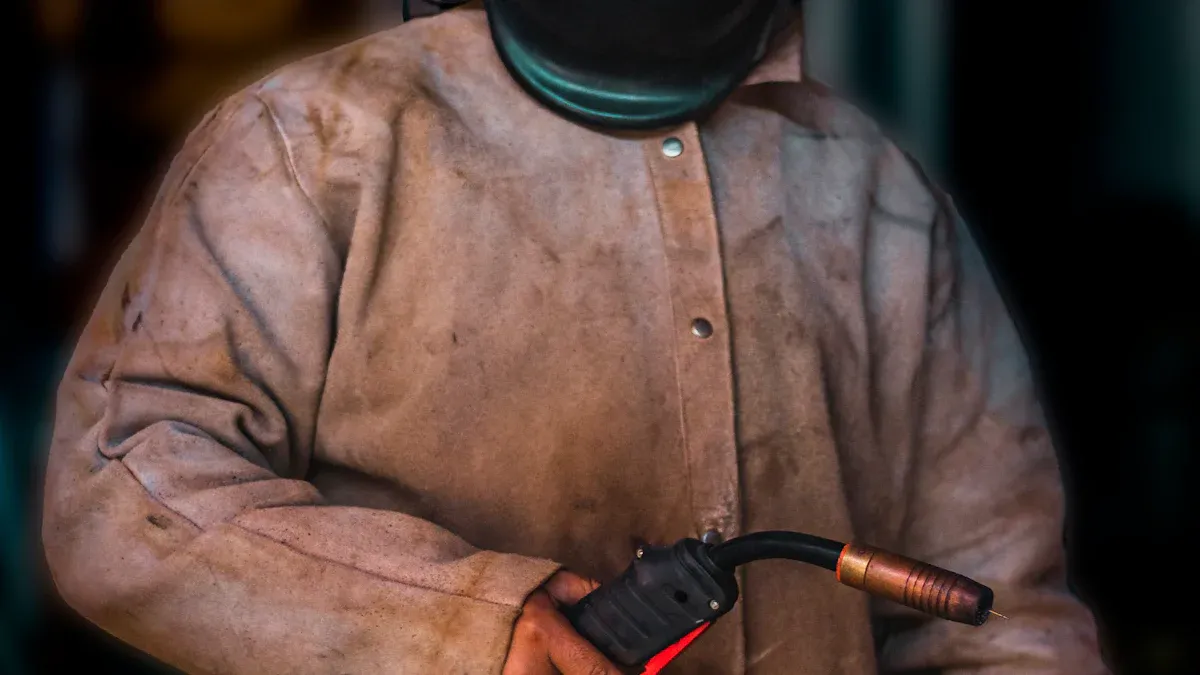
Wearing a welding helmet for hours can strain my neck and cause discomfort if the fit is not right. I always pay close attention to how my helmet sits on my head. A comfortable, secure fit keeps me focused on my work and prevents distractions.
Headgear Adjustment
Modify straps and padding
I start by adjusting the straps and padding to match the shape of my head. Most modern helmets offer several adjustment points, including the front, top, and back. I use the ratchet-style knob at the rear to quickly tighten or loosen the fit. This knob lets me make small changes without removing my gloves. I also check the crown strap, which allows me to raise or lower the helmet for better comfort.
To reduce pressure points, I look for helmets with ergonomic padding. Soft sponge pads at the brow and back of the neck absorb sweat and cushion my head. Wide comfort pads provide 360° contact, which helps distribute pressure evenly. Adjustable liners with quick-release mechanisms let me fine-tune the tension and prevent the helmet from wobbling.
Tip: I always make sure the padding is clean and dry. Sweat-soaked pads can slip and cause irritation.
Balance helmet weight
A balanced helmet feels lighter and reduces neck fatigue. I adjust the fore/aft position so the helmet sits evenly on my head. Multiple bands in the headgear help spread the weight, making long welding sessions more comfortable. Pivot-style headgear that wraps around the base of my skull gives extra support and stability. I avoid helmets that pull forward, as this can strain my neck and shoulders.
| Adjustment Feature | Benefit |
|---|---|
| Fore/aft adjustment | Distributes weight, reduces neck strain |
| Multiple bands | Evenly spreads helmet weight |
| Pivot-style headgear | Enhances support and stability |
| Crown strap | Raises or lowers helmet for best comfort |
Prevent Slipping or Shifting
Secure adjustment knobs
Loose adjustment knobs can cause the helmet to slip or shift during work. I always check that all knobs are tight before I start welding. Humanized knob designs let me make quick changes without interrupting my workflow. Smooth rotation and easy manipulation help me control the tightness for a secure fit.
Add extra padding if needed
If the helmet still moves or feels uncomfortable, I add extra padding at key contact points. Thickened sweat sponges protect my forehead from tightness and provide an anti-slip effect. I sometimes use aftermarket pads or liners for a custom fit. Proper padding not only improves comfort but also keeps the helmet stable during movement.
Note: Adequate padding at all contact points is essential for both comfort and safety.
Section Summary
I always take time to adjust my helmet for maximum comfort and stability. Proper strap and padding adjustments, balanced weight distribution, and secure knobs prevent slipping and fatigue. These steps help me stay focused and safe throughout the workday.
Step-by-Step Troubleshooting for Auto Darkening Welding Helmet
Troubleshooting my Auto Darkening Welding Helmet requires a systematic approach. I always start with a thorough inspection, then isolate the problem, and finally decide if professional repair is necessary. This process helps me maintain safety and avoid unnecessary downtime.
Initial Inspection
Visual check for damage
Before I use my helmet, I inspect it closely. I look for cracks in the shell, scratches or cloudiness on the lens, and any signs of wear on the headgear. I check the auto-darkening filter for discoloration or physical damage. I make sure the compliance tags, such as ANSI Z87.1, are present and legible. If I see any damage, I clean or replace the affected parts.
Test all controls and settings
I test the helmet’s auto-darkening function by exposing it to bright sunlight or a fluorescent lamp. Sometimes, I flick a gas lighter or use an infrared remote control in front of the sensor to simulate a welding arc. I adjust the delay and sensitivity controls, then observe how quickly the lens reacts. I check the battery life and replace batteries if needed. I always clean the sensors and lens cover to ensure responsiveness. If the helmet fails any of these tests, I consider repair or replacement.
Tip: I perform these checks before each use, after any impact, and during monthly maintenance.
Problem Isolation
Eliminate external interference
I know that external light sources can affect helmet performance. I reduce ambient light in my workspace and shield the sensors from direct sunlight or strong lamps. I deactivate features like Shade Lock if the lens stays dark without welding. I clean the sensors and increase sensitivity if the helmet fails to darken consistently.
Test with different welding machines
To isolate the problem, I use the helmet with another welding machine. If the issue persists, I know the fault lies within the helmet. If the helmet works with a different machine, I check the original machine’s settings and connections. I use a table to guide my troubleshooting:
| Fault Type | Possible Causes | Targeted Remedies |
|---|---|---|
| Intermittent failure to darken | Dirty sensors, low sensitivity, momentary disruptions | Clean sensors, increase sensitivity, adjust delay |
| Lens staying dark without arc | Sensitivity too high, ambient light, Shade Lock | Reduce sensitivity, shield sensors, deactivate Shade Lock |
| Lens not switching/darkening | Grind mode, battery issues, dirty terminals | Switch to weld mode, replace batteries, clean terminals |
These steps help me pinpoint the exact cause and apply the right fix.
When to Seek Professional Repair
Some problems require expert attention. I seek professional repair when I notice eye fatigue or blurry vision during welding. If the helmet fits poorly and exposes my neck, I get it adjusted or replaced. I verify that my helmet meets current safety codes. If the auto-darkening lens reacts slowly or not at all when exposed to sunlight, I stop using the helmet immediately. I never risk my safety by ignoring these signs.
Note: Professional repair ensures my helmet provides reliable protection and meets industry standards.
Section Summary
I follow a step-by-step troubleshooting process for my Auto Darkening Welding Helmet. I inspect for damage, test all controls, isolate problems, and seek professional help when needed. This approach keeps me safe and productive in every welding job.
Preventive Maintenance for Auto Darkening Welding Helmet
Preventive maintenance keeps my helmet reliable and extends its lifespan. I follow a strict routine to ensure every component works as intended. Here’s how I maintain my helmet for peak performance.
Regular Cleaning
Clean sensors and lenses
After every welding session, I gently wipe the lens and sensors with a soft, lint-free cloth. Dust, debris, and welding spatter can build up quickly, so I never skip this step. For stubborn spots, I dampen the cloth with a lens-safe cleaner or water. I avoid harsh chemicals because they can damage the lens coating. When I notice scratches or cloudiness, I replace the lens cover to maintain clear visibility. Clean sensors respond faster and help prevent darkening issues.
Tip: I always handle my helmet with clean hands to avoid smudges that could impair my view.
Store helmet properly
Proper storage protects my helmet from damage. I keep it in a dry place, away from direct sunlight and extreme temperatures. Sunlight and moisture can degrade the plastic shell and fade the helmet’s color. I avoid leaving my helmet in the back of my truck or near welding fumes. When I share my helmet, I disinfect it with a suitable solution and let it dry completely before the next use.
Summary: Regular cleaning and correct storage prevent most performance problems and keep my helmet looking new.
Battery Care
Replace batteries on schedule
I check my helmet’s battery status before every job. Most helmets use solar power with a backup battery in the auto-darkening filter. I replace batteries as soon as the low battery indicator lights up. I never wait for the helmet to fail during a weld. The welding arc also helps recharge the filter, but I place my helmet in sunlight regularly to maintain battery charge.
Use correct battery types
I always use the battery type recommended by the manufacturer. Using the wrong type can cause malfunctions or shorten the helmet’s life. Before welding, I test the battery by exposing the sensors to bright light or using the helmet’s test function. This quick check ensures the lens will darken when I need it most.
Summary: Timely battery replacement and proper battery care keep my helmet responsive and safe.
Function Testing
Test helmet before each use
Routine function testing gives me peace of mind. Before I start welding, I check the lens reaction time, sensitivity settings, and overall condition. I expose the sensors to sunlight or a torch striker to confirm the lens darkens instantly. I inspect the headgear and shell for cracks or loose parts. Quick tests help me catch problems early and avoid surprises on the job.
Keep spare parts available
I keep spare batteries, lens covers, and sweatbands in my toolbox. When a part wears out or gets damaged, I replace it right away. This habit reduces downtime and ensures my helmet always meets safety standards.
Summary: Regular function tests and having spare parts ready guarantee my helmet’s reliability and my own safety.
Section Summary
Preventive maintenance for my Auto Darkening Welding Helmet includes cleaning, proper storage, battery care, and routine function testing. These habits protect my investment, keep me safe, and ensure my helmet performs at its best every time I weld.
When to Replace Your Auto Darkening Welding Helmet
Knowing when to replace my Auto Darkening Welding Helmet keeps me safe and productive. I watch for signs of damage and outdated technology. If my helmet cannot protect me or slows me down, I make the decision to upgrade.
Signs of Irreparable Damage
Cracked or broken shell
I inspect my helmet shell before every shift. Cracks or breaks in the shell mean the helmet cannot shield my face from sparks or impacts. Even small fractures weaken the structure. If I see any damage, I stop using the helmet right away. I never risk my safety with a compromised shell.
Persistent electronic failures
Electronic problems that do not go away signal the end of my helmet’s useful life. If the auto-darkening lens flickers, stays dark, or fails to respond after I change batteries and clean sensors, I know the electronics may be failing. I notice slow reaction times or random darkening. These issues put my eyes at risk. I do not attempt to repair complex electronics myself. I replace the helmet to ensure reliable protection.
Tip: I always prioritize my safety. If my helmet shows repeated failures, I choose a new one instead of risking injury.
Outdated Technology
Upgrade for better protection
Older helmets often lack features that keep me safe and comfortable. I remember that eye injuries make up about 25% of welding injuries, and most are preventable with proper helmet use. Outdated helmets force me to lift the helmet to inspect my work, which exposes my eyes to hazards and increases strain. Modern helmets with advanced lens technology, like ClearLight 2.0, let me keep my helmet down even during setup and inspection. This reduces eye fatigue and improves my focus.
Consider new features
I look for new helmets with larger viewing areas, lighter shells, and better headgear. Modern designs reduce neck strain and fatigue. Advanced lenses give me brighter, clearer views of the weld pool, which helps me avoid mistakes and rework. I choose helmets that work with other PPE, such as respirators, for full protection. Improved comfort means I can wear my helmet all day without distraction.
| Feature Upgrade | Benefit to Welder |
|---|---|
| Lightweight shell | Less neck strain, more comfort |
| Larger viewing area | Better visibility, fewer errors |
| Advanced lens tech | Reduced eye strain, safer work |
| Enhanced headgear | All-day comfort, stable fit |
| PPE compatibility | Full protection from weld fumes |
Note: Modern helmets help me stay productive and safe. I return home without injuries and feel confident in my equipment.
Section Summary
I replace my Auto Darkening Welding Helmet when I see cracks, persistent electronic failures, or outdated technology. New helmets offer better protection, comfort, and visibility. Upgrading keeps me safe, reduces fatigue, and helps me deliver quality work every day.
- I always troubleshoot my Auto Darkening Welding Helmet quickly to protect my eyes and keep my work on schedule.
- Regular maintenance helps me avoid most problems and keeps my helmet reliable.
- I know when to repair or replace my helmet by watching for damage or outdated features.
If I ever feel unsure or notice persistent issues, I seek professional help to ensure my safety.
FAQ
How often should I replace the batteries in my auto darkening welding helmet?
I check my batteries before every job. I replace them as soon as I see a low battery warning or notice slow lens response. For heavy use, I change them every few months to ensure safety.
Can I use my helmet for grinding as well as welding?
Yes, I switch my helmet to Grind mode for grinding tasks. This mode keeps the lens light, so I can see clearly. I always double-check the mode before starting any welding to avoid eye injuries.
Why does my helmet not darken when I start welding?
I usually find dead batteries, dirty sensors, or incorrect settings cause this issue. I check the battery, clean the sensors, and confirm the helmet is in Weld mode. These steps solve most problems quickly.
What shade level should I use for different welding processes?
I follow the manufacturer’s chart for shade selection. For MIG or stick welding, I use shade 10–13. For TIG welding, I use shade 9–13. I adjust the shade until my eyes feel comfortable and protected.
How do I prevent my helmet from fogging up?
I use anti-fog sprays or wipes on the lens. I wear a sweatband to absorb moisture. I also improve ventilation in my workspace. These steps keep my vision clear during long welding sessions.
Is it safe to repair my helmet’s electronics myself?
I never repair the electronics myself. I contact the manufacturer or a professional repair service. Attempting repairs can void the warranty and compromise my safety.
What should I do if my helmet keeps flickering during welding?
I replace the batteries, clean the sensors, and check the lens for scratches. I also adjust the sensitivity setting. If the problem continues, I consult a professional for further inspection.
How do I know when it’s time to replace my helmet?
I replace my helmet if I see cracks in the shell, persistent electronic failures, or outdated features. I always prioritize my safety and upgrade when my helmet no longer meets my needs.
Post time: Aug-22-2025